How to report dumped waste in Sofia through Call Sofia
Report dumped waste in Sofia through Call Sofia: choosing the category, placing the map pin, photos, response deadlines and what each status really means.
Sources checked - 8 October 2026
In this article
In Sofia, dumped rubbish, an abandoned sofa or a pile of renovation debris is reported through Call Sofia, the municipality's official platform for non-urgent problems in the city. You mark the spot on a map, add photos and a short description, and the report is routed to the team responsible, which has to reply within a set deadline (Call Sofia FAQ). A report that someone can find and act on takes five minutes; the details below are what make the difference.
Before you start
Call Sofia is for non-urgent problems. If the waste is on fire, blocks a road dangerously or puts anyone at immediate risk, call 112 instead. You can report through the website, the Android and iOS app, or the 24-hour contact centre on 0700 17 310 (Call Sofia FAQ).
You do not need an account, but do give an email address. Without one, a guest report is still processed, but you cannot follow it, you get no notifications, and you cannot answer if the team asks for more information. With an account, every report appears in "My signals" with its status, the unit handling it and the official reply.
Filing the report
- Open the form at call.sofia.bg and choose the category Чистота (cleanliness).
- Pick the closest subcategory. For furniture, mattresses and other large items, choose Едрогабаритни отпадъци (bulky waste). For other dumped rubbish, pick whichever remaining option fits best: Сметосъбиране и сметоизвозване (waste collection), Съдове за отпадъци (containers) or Метене/Чистене (street cleaning). The form then asks questions specific to that subcategory; answer them rather than relying on the title.
- Place the pin on the waste, not on yourself. The form offers "use my location", an address field, a district list and a map you can click. Your phone's position is where you are standing, which may be across the road or on the wrong bank of a river. Move the pin, then add the nearest fixed landmark (a junction, a block entrance, a bus stop) to the description.
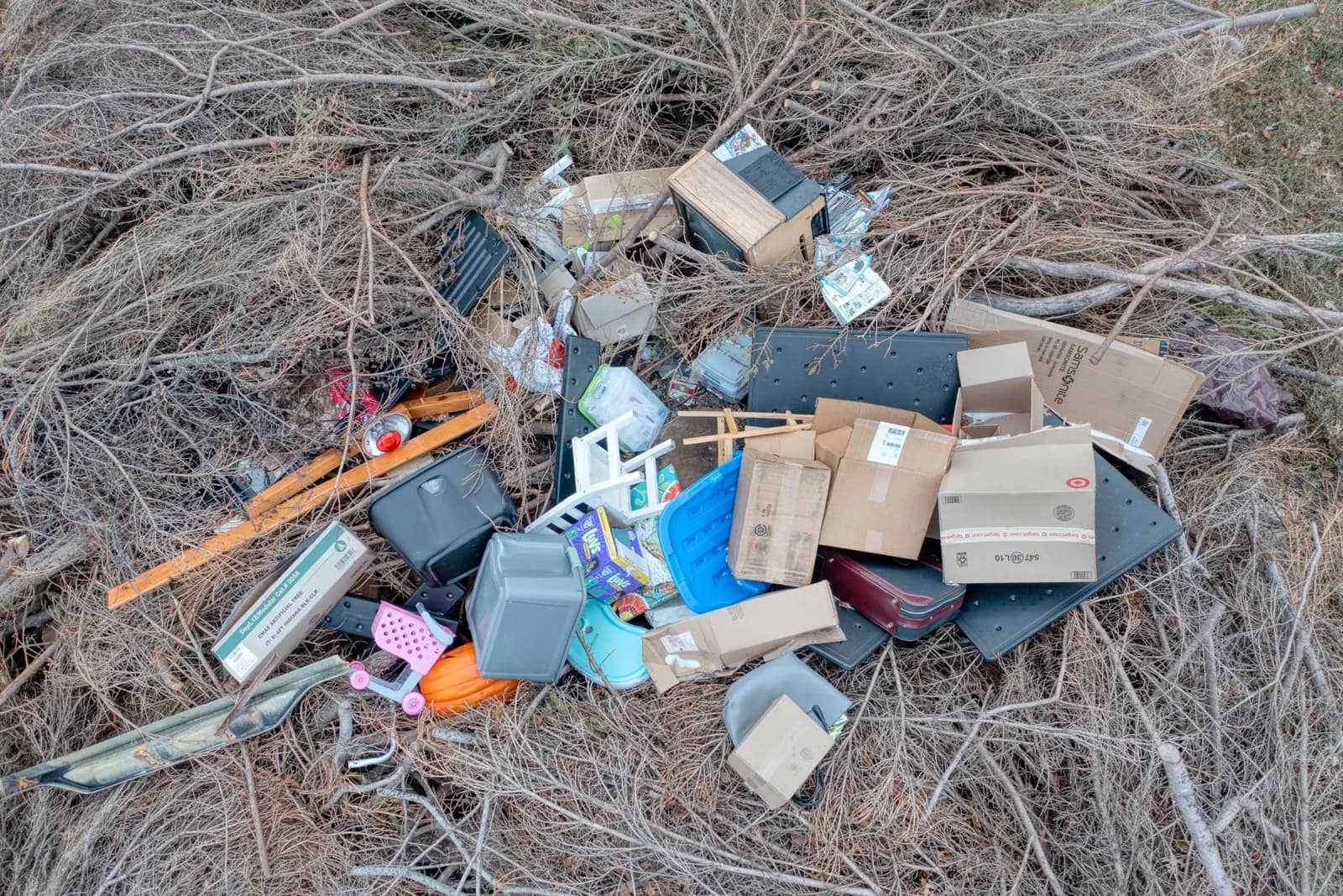
- Describe what is visible. Say what the waste is (furniture, bags, rubble, tyres, a mix), roughly how much, whether it blocks a pavement or entrance, and when you saw it. Mention who dumped it only if you actually saw it.
- Add photos. You can attach up to five JPG, PNG or HEIC images; keep each under 10 MB, the limit shown on the form. One wide shot showing a landmark plus one close-up of the material is more useful than five near-identical close-ups (report form).
- Check and send. You can review everything before submitting. Each report gets a unique number in a format like СОА26-КЦ01-XXXXX; keep it (Call Sofia FAQ).
If you choose the wrong category, contact centre staff correct it and send the report to the right team, so do not let category doubts stop you.
Deadlines
The standard deadline for a reply is 30 days. Some routine cleanliness problems have shorter targets: 3 days for overflowing waste containers and 7 days for bulky waste that has not been collected. For complex cases that need coordination, funding or design work, solving the problem can take longer, but within 30 days you should still be told what was found and what happens next (Call Sofia FAQ).
If the team needs more information, the status changes and you get an email; you then have 5 calendar days to respond, or the report can be rejected.
What the statuses mean
| Status | What it means |
|---|---|
| Нов (New) | Received and registered; the contact centre checks the information and decides where to send it |
| Актуализиран (Updated) | New information has been added and will be passed to the team on the case |
| Очаква информация (Awaiting information) | You need to add or correct something within 5 calendar days |
| В обработка (In progress) | Sent to the responsible unit, which is inspecting or acting; any transfer shows up automatically |
| Приключен (Closed) | Processing has finished and you get a reply on what was found and done or planned. Also used when the report has been forwarded to an institution outside the municipality |
| Отхвърлен (Rejected) | Not examined, for example if inadmissible, abusive, or if requested information did not arrive within 5 days |
Source: Call Sofia FAQ.
The important one is Приключен. "Closed" means the municipality has finished processing your report, not necessarily that the pile is gone, and it is also used when the case has been passed to another institution. Read the written reply and check where the case went. If you go back and the waste is still there, file a new report that cites the earlier number and the date you saw it again, so the history stays together.
Who can see your report
Letters, replies and personal data are not public; only you (when logged in) and the staff on the case can see them. The public map shows only active reports with the status "In progress" that were filed by registered users; new, closed, rejected and anonymous reports are not shown. When several people report the same problem, the reports can be linked, and each person is kept informed without seeing the others' details (Call Sofia FAQ).
The Call Sofia form and FAQ were checked on 8 October 2026.
Sources & further reading
- Call Sofia report form - Sofia Municipality
- Call Sofia frequently asked questions - Sofia Municipality
Tags
- Sofia
- Call Sofia
- illegal dumping
- bulky waste
- reporting